
See the business.
Health, traffic, revenue and costs on one screen.
 Notice
NoticeOS shows your startup’s traffic, revenue, costs, alerts and tasks in one place, and checks whether each change you ship helped.
 Google Analytics Search Console
 Clarity
 Bing
Bing Discord Your own APIs
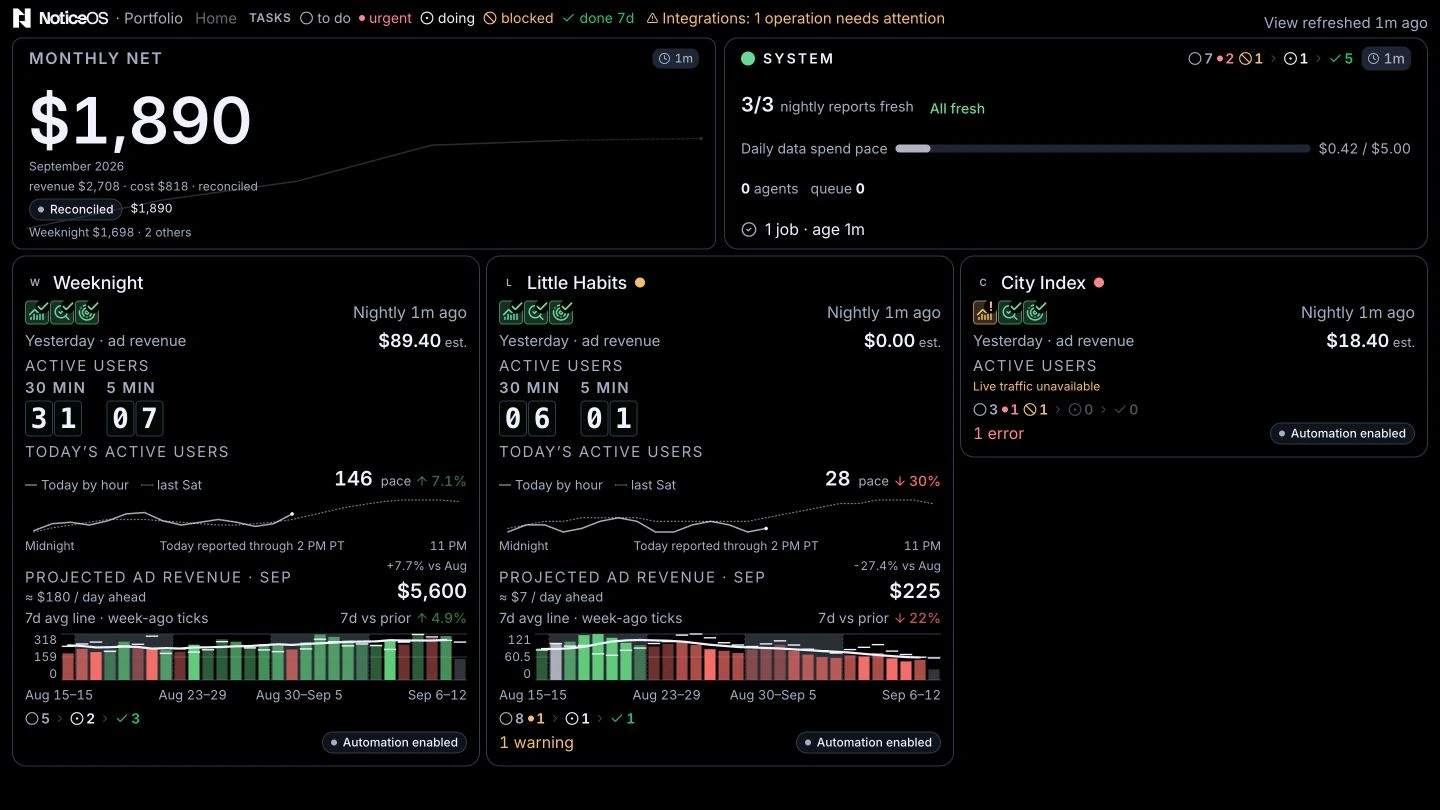
NoticeOS puts each site’s traffic, revenue, costs and uptime next to the tasks behind them, so you can decide what to work on next.
Health, traffic, revenue and costs on one screen.
Failures, data that stopped updating, and your decisions.
Turn the next step into a task, a project or a repeatable workflow.
The Wall shows the month’s pace, each site’s live visitors, anything broken and the week’s work on one screen. Open it on your desk, a TV or your phone, or keep it on a TV for good with NoticeTV.
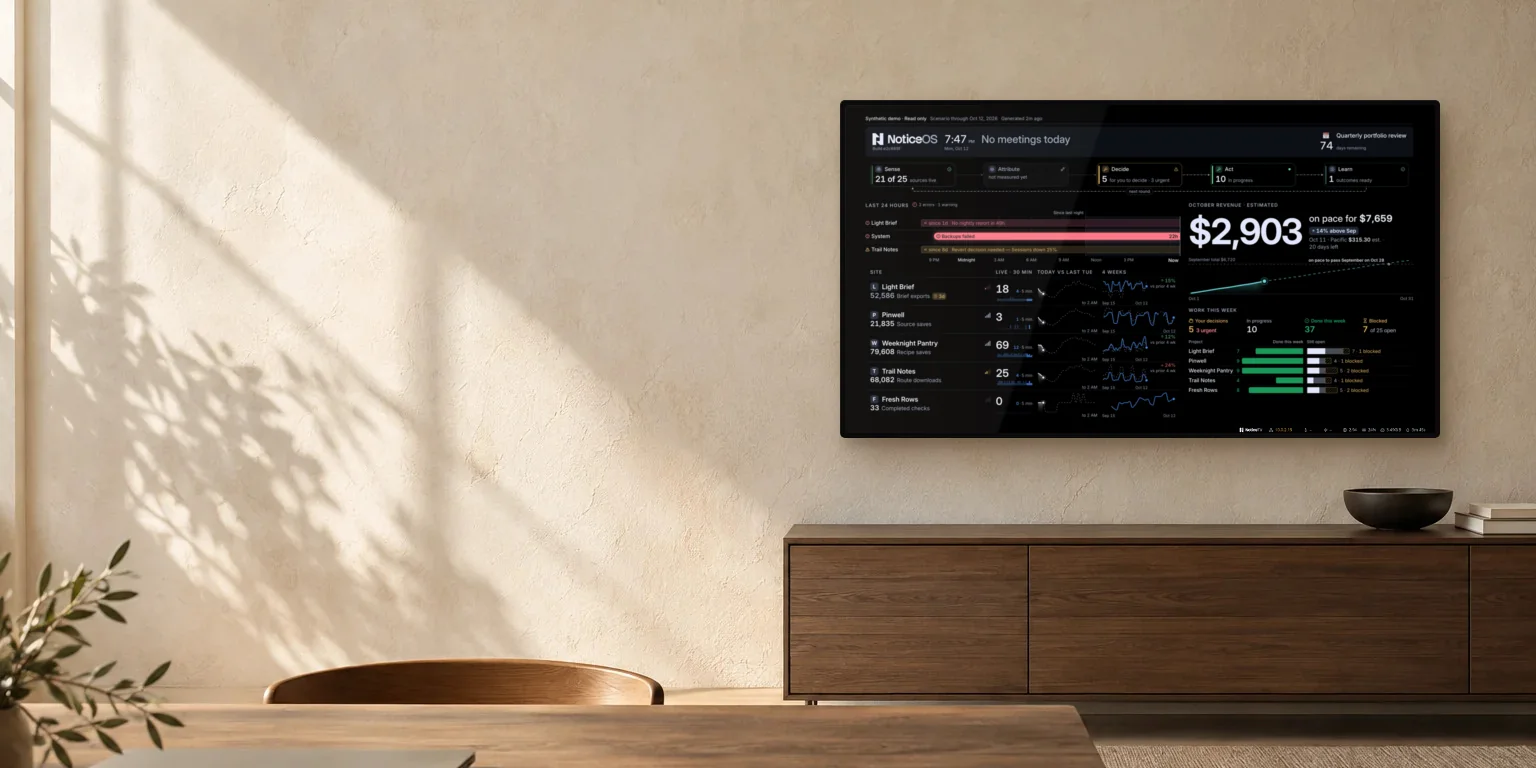
NoticeTV turns a small PC behind your TV into a screen that shows the Wall, around the clock. Install it from a USB stick in place of Windows, type your Wi-Fi and the page to show, and the TV starts straight into your dashboard every time it’s switched on.
No desktop and nothing to click. The dashboard comes up full screen.
A frozen PC restarts, a closed browser reopens and dropped Wi-Fi reconnects.
Security updates install in the background. A restart waits until 4:30 in the morning.
The NoticeOS Wall, a Home Assistant or Grafana dashboard, or your own status page.
Free under the AGPL-3.0 license. Runs on an Intel or AMD mini PC with a drive of 8 GB or more.
A closed task doesn’t show whether the change helped. NoticeOS checks the change against a target you set in advance, then adds the verdict to the task behind it.
It goes on the site’s timeline and its charts, with the task or commit behind it.
Choose the metric, the days to compare and what counts as better, before the numbers exist.
Improvement, decline, no clear change, or couldn’t be measured. The verdict is added to the task.

People and AI agents share one task board. Connect your coding agent, such as Claude Code: it reads each site’s reports, claims tasks and closes them with evidence, while the decisions that are yours go to you.
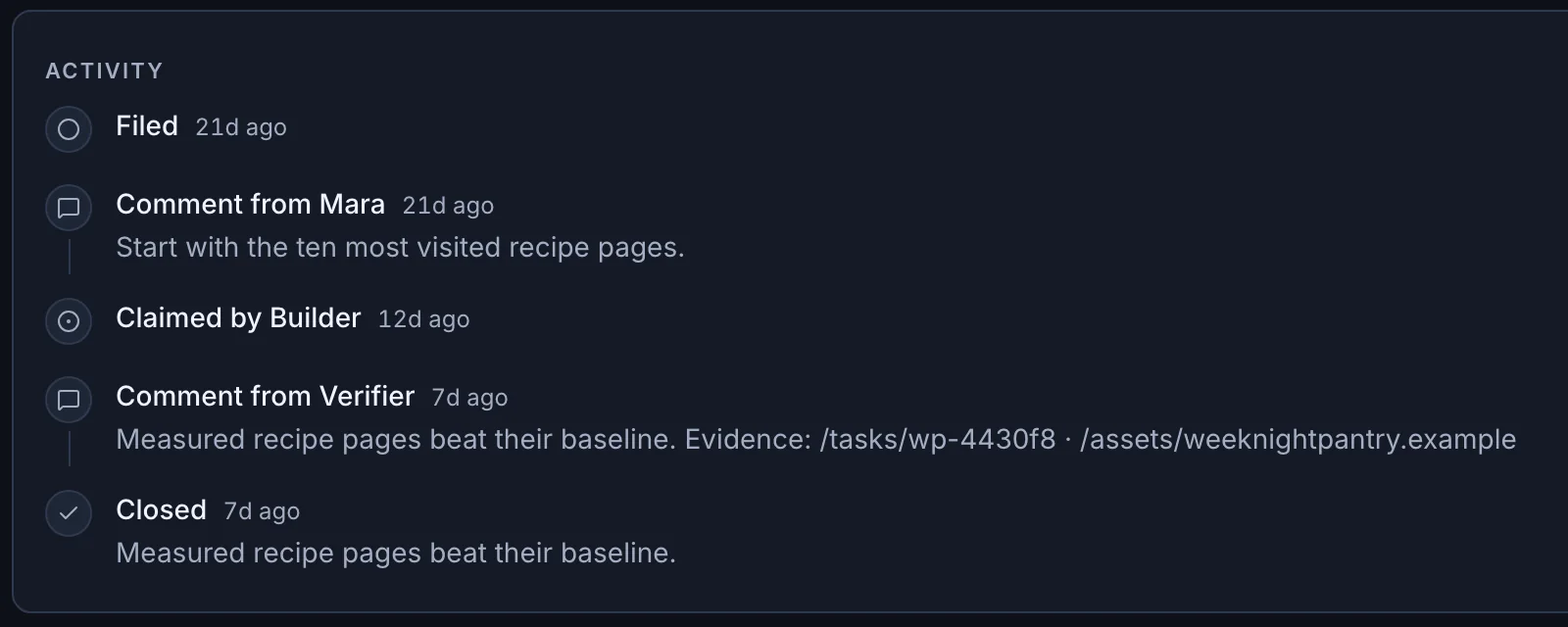
Mara set the scope. Builder claimed the task and did the work. Verifier measured the pages against their baseline and posted the evidence, then the task closed. Builder and Verifier can be a teammate or your AI agent.
Connect Claude Code or another MCP agent with one command. It can file, claim and close tasks and read site reports. Approvals stay with you. Connect an agent

Notice grew out of running our own products, including MyPlate.food and Nom.now. Building got easier. Keeping up with the business still meant checking dashboards, chasing problems and figuring out what to do next.
So we built the tool we needed. NoticeOS brings that work into one place, for people turning their own ideas into businesses.
 Lucas CzekajFounder, Notice
NoticeOS is open source. Run it on your laptop or a small server, connect your sites, and keep everything in a database you own. It’s free under the AGPL-3.0 license.
Add a site, then connect Google Analytics, Search Console, Bing, Clarity or PostHog.
Revenue and costs side by side. Missing data is shown as missing, never as zero.
Data sources that stop updating, unusual traffic and new errors, with a Discord alert if you want one.
One task board for you and your AI agents, with owners, blockers and approvals.
docker run --rm ghcr.io/notice-cx/noticeos:main launcher | sh -s -- setupDocker is all it needs. One command sets it up and opens it at 127.0.0.1:5173, ready for your first site. The five-minute install guide takes you from there to your first number.
There’s no login yet, so keep it on your own computer or a private network.
View NoticeOS on GitHubdemo.notice.cx is a working copy of NoticeOS, filled with made-up sites and simulated activity. Click through sites, money, tasks, workflows and the Wall to see how it all fits together.
Read-only.
Tour the demoNoticeOS Cloud will host and update NoticeOS for you.
Coming soon. These are proposed monthly launch prices in USD. No payment is collected.
For a founder running one product.
One startup
For a founder running several products, side by side.
Up to five startups
NoticeOS is open source and free to self-host. Your infrastructure, your code to extend.
We count visits and plan clicks to decide what to launch.
NoticeOS is an open-source app for people who run websites and software products. It shows each product’s traffic, revenue and costs, uptime and alerts, and the tasks behind them in one place, and checks whether a shipped change actually helped. The Wall puts that view on a TV or spare screen. You can run it yourself for free today. A managed Cloud version is coming soon.
Notice is the company building tools to help founders run and improve their startups. NoticeOS is its app for running the business: traffic, money, alerts, tasks and outcome checks in one place. NoticeTV keeps a dashboard, such as the NoticeOS Wall, on your TV.
People building their first startup, solo founders and small teams running several products, including people who built an app with AI and want a clear view of the business behind it.
Analytics is one part of the picture. NoticeOS connects each site’s traffic, money, alerts and tasks, and checks whether the work you ship moves the numbers. The Wall brings that view to a screen you can see from across the room.
Google Analytics, Google Search Console, Bing Webmaster Tools, Microsoft Clarity, PostHog and DataForSEO for traffic and search. Mediavine for ad revenue; other revenue and costs come in as imports, and recurring costs are entered once. It checks each site’s uptime on its own, sends alerts to Discord and shows your next meeting from a calendar feed on the Wall. Your own products can report their numbers to it directly.
The open-source version, yes. NoticeOS is on GitHub under the AGPL-3.0 license, and you can run it on your own machine or server today. To look around first, tour the live demo. The paid, managed Cloud service is coming soon. The prices above are proposed launch prices, and choosing a plan joins an early-access list.
Docker, on your own computer or a small server. One command sets it up, and it opens at 127.0.0.1:5173 with an empty workspace. The five-minute install guide has the command and takes you to your first number; the docs cover the rest, including running from source. There’s no login yet, so keep it on your own machine or a private network.
Your AI coding agent, such as Claude Code, can connect to NoticeOS today and work from the same task board you do. It reads site reports, files and claims tasks, and closes them with evidence. Approvals stay with you, and nothing ships without a person. NoticeOS itself runs no AI model. Connect an agent takes one command. See an example.
NoticeTV is a free, open-source operating system for a small PC behind your TV. Install it from a USB stick in place of Windows, choose the web page it shows, and the TV starts straight into that page every time it’s switched on. It recovers from problems and installs security updates on its own. It shows the NoticeOS Wall or any other page, such as a Home Assistant or Grafana dashboard. NoticeTV is on GitHub under the AGPL-3.0 license.
No. The screenshots come from the live demo, which runs the real product on made-up sites with simulated activity. Revenue, traffic and growth figures are examples, not performance claims.